How can an administrator accept a user to be approved to go or take a course in KLMS?

This article explains how a teacher or admin can approve a course request.
1. Student or employee finds a course he or she wants to enroll in.
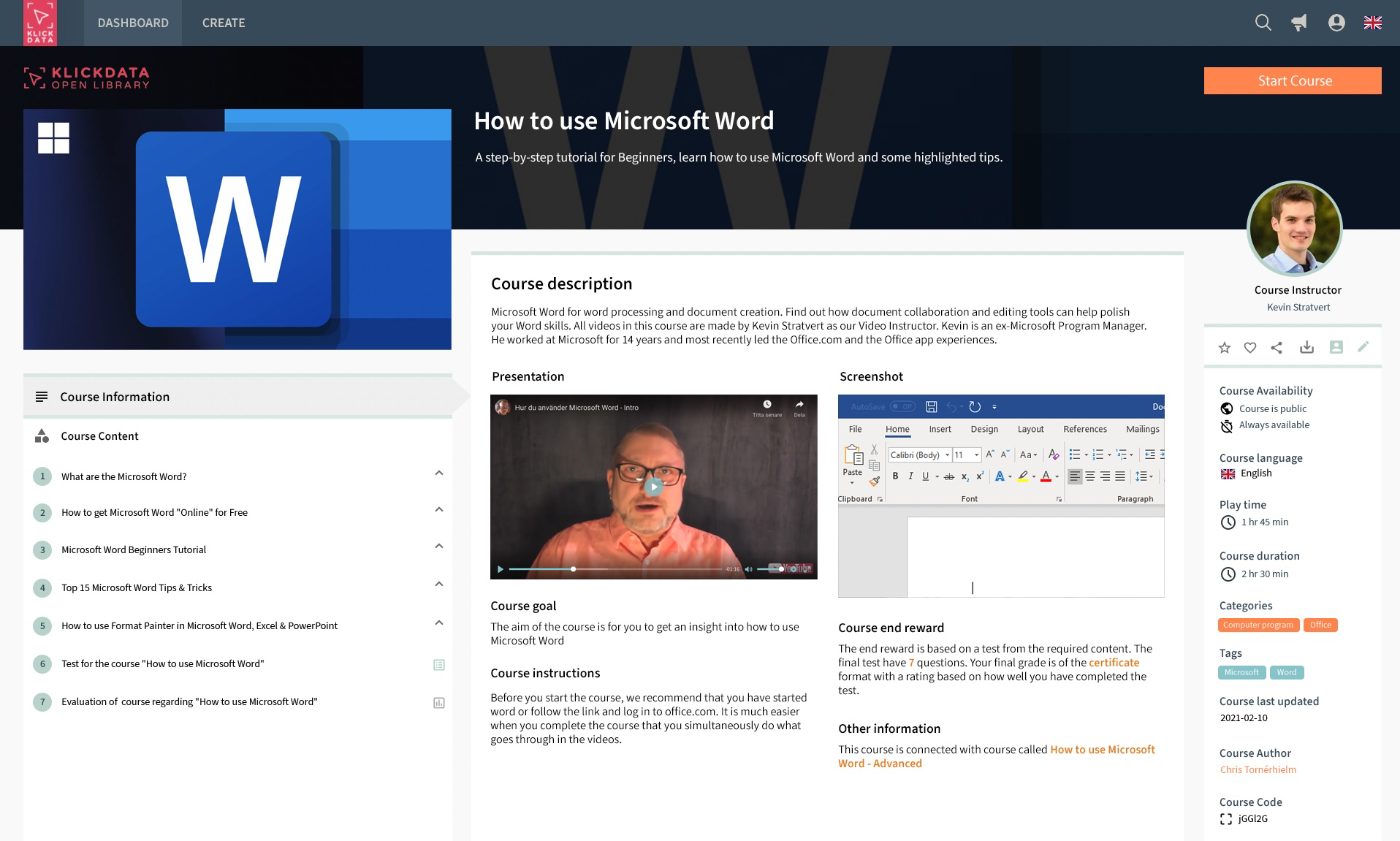
2. Student clic on the Start Course button upper right
Due to the admin settings or author settings for this Course: Students can not automatically enroll and start the course before approval from the supervisor.
KLMS will show a Slide from the right (on desktop) with specific information regarding the course to be requested. There might be limited seats and costs involved that also are the reason for the approval process. The learner in KLMS will click on the Request access button to initiate the approval process.

3. Admin gets a notification in the Message center that the student has asked for approval to join the course in KLMS and to take it.
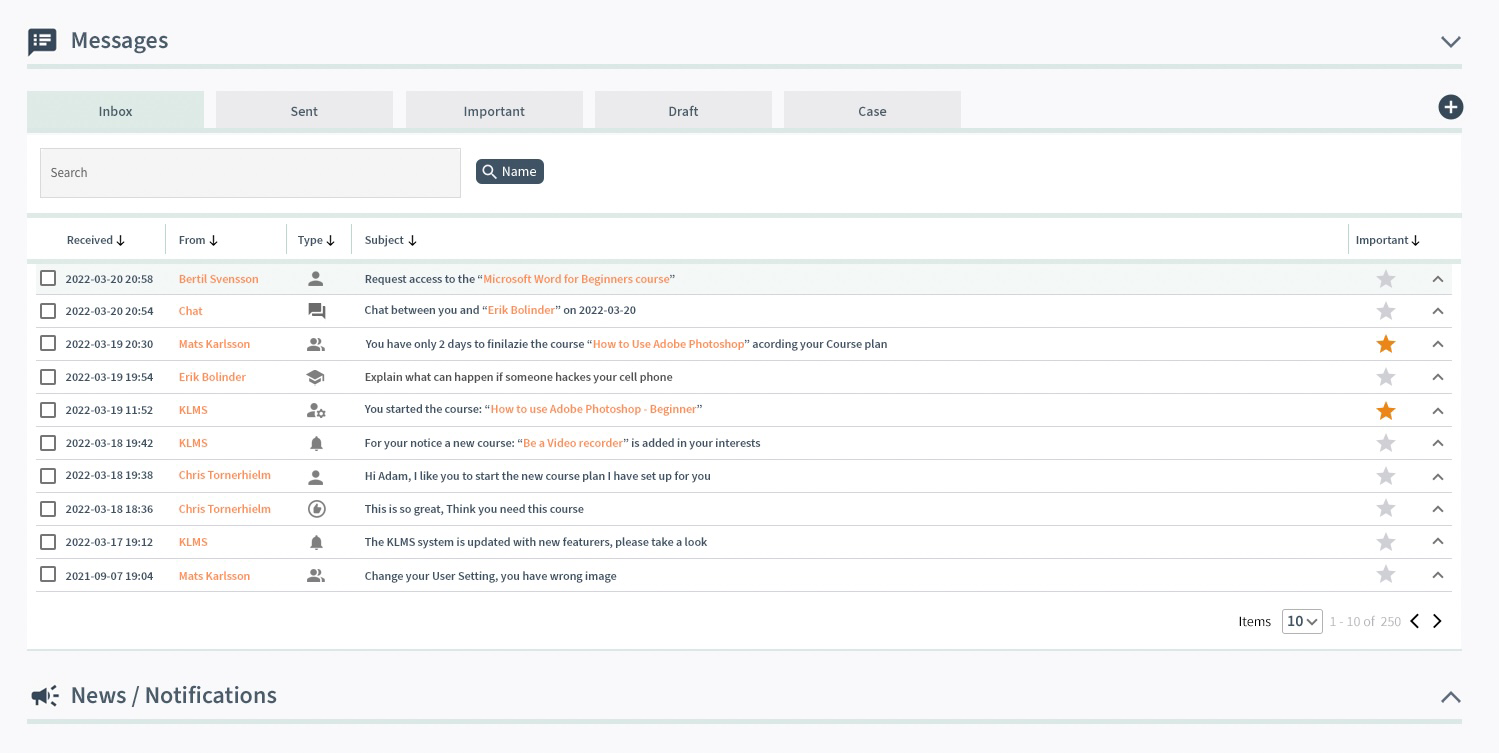
4. Admin opens the Message Center message and views the Application.

5. Admin approves after reviewing the course content and details in the 2nd column
Admin can approve or reject the request. If he or she accepts: A message will be sent to the learner. Depending on the settings: The message is also sent to the mail of the registered user in KLMS so he will see it as a message in his Outlook or Gmail or wherever he reads the messages in his normal mail outside log in to KLMS. The same applies to the admin who can get notifications sent to the mail including applications and requests for courses to approve.
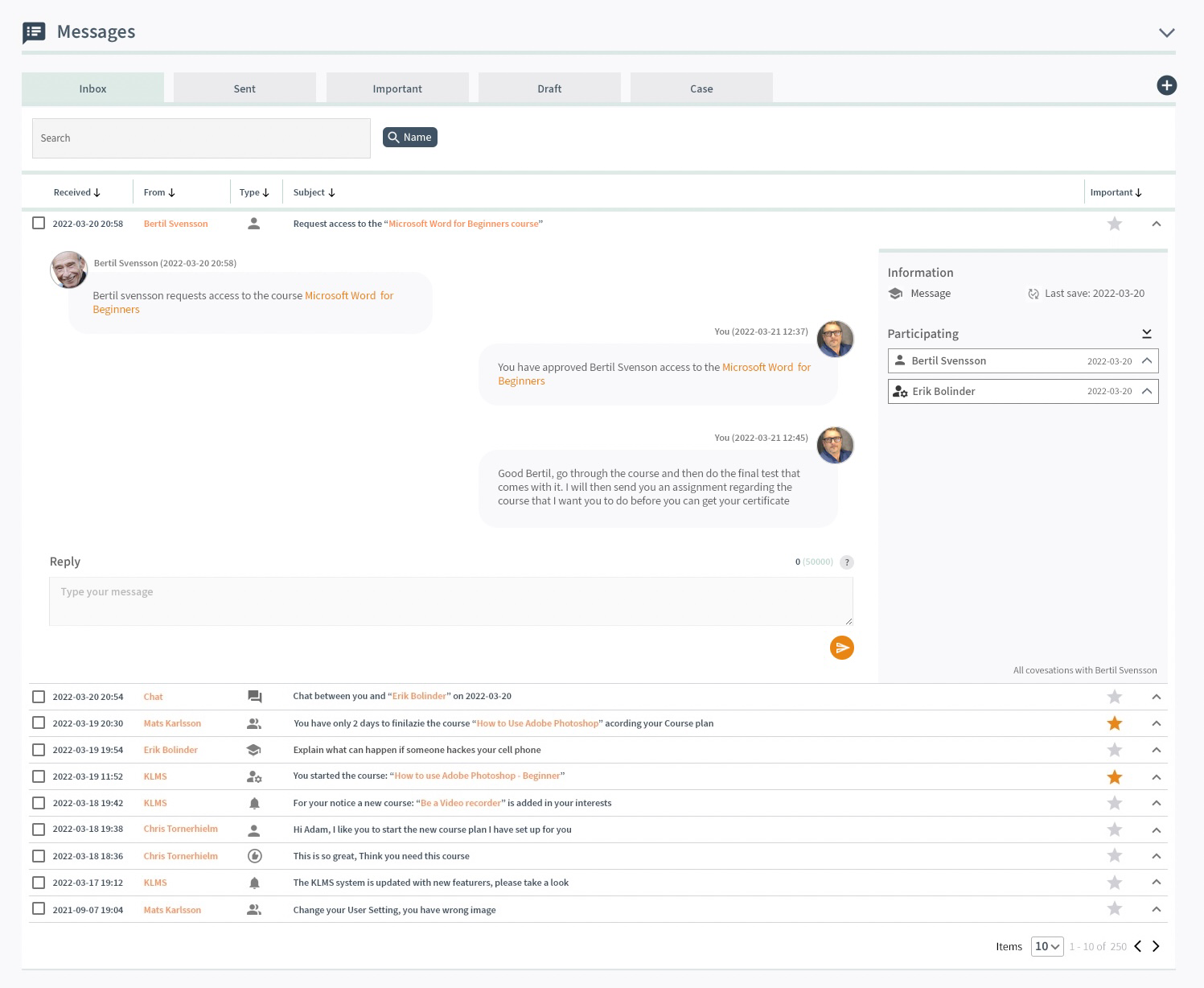
The learner can read the chat discussion in the message field with the headline Request to the "Course name". And the learner can exchange and chat with the administrator.
If the learner has other message chats for other topics like other courses: Admin can filter to view the other chats in the 2nd column.