
Svar
Hence: Since the test itself is neutral and consist of questions with different types, the test change inside a course when its in a context and added features like an attached grade system. As for example: The same test with the same test questions given to a 5th grade or to a 7th grade student can have different levels of percent correct to get a diploma. To understand this difference is essential since you as an author needs to understand the audience in the creating process.
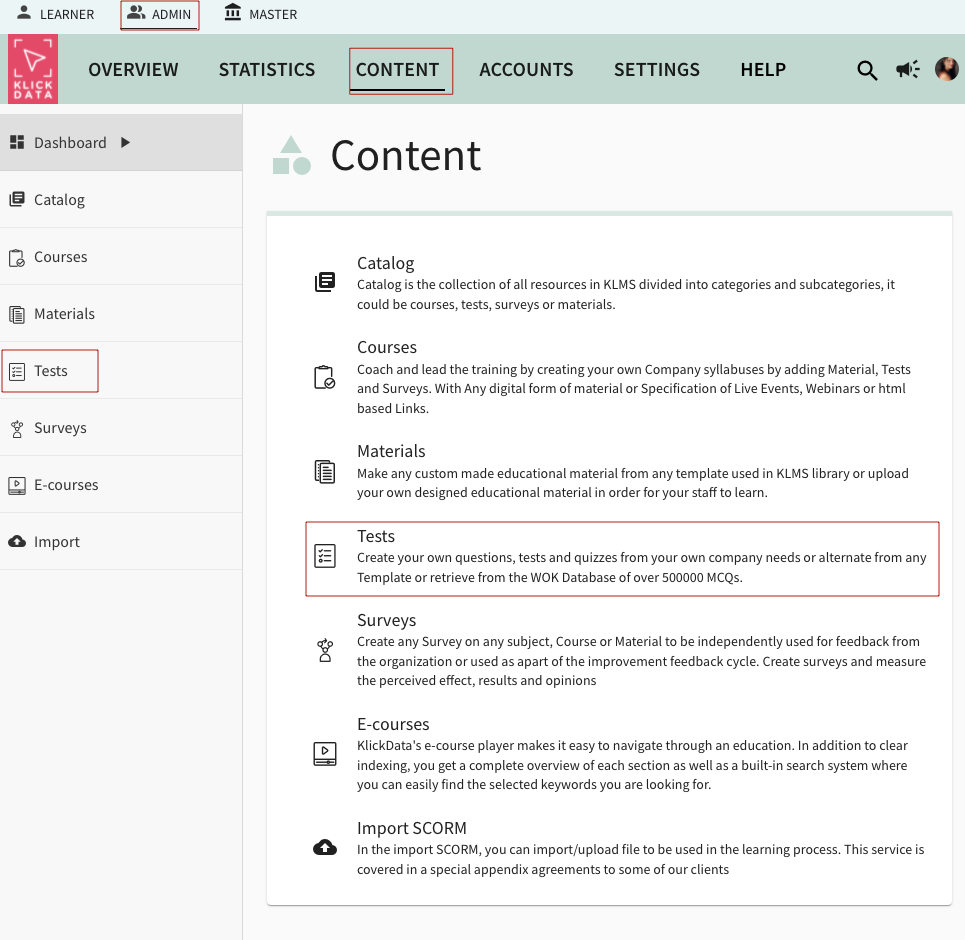
When Creating a Test in KLMS, you need to have Group Admin level Access.
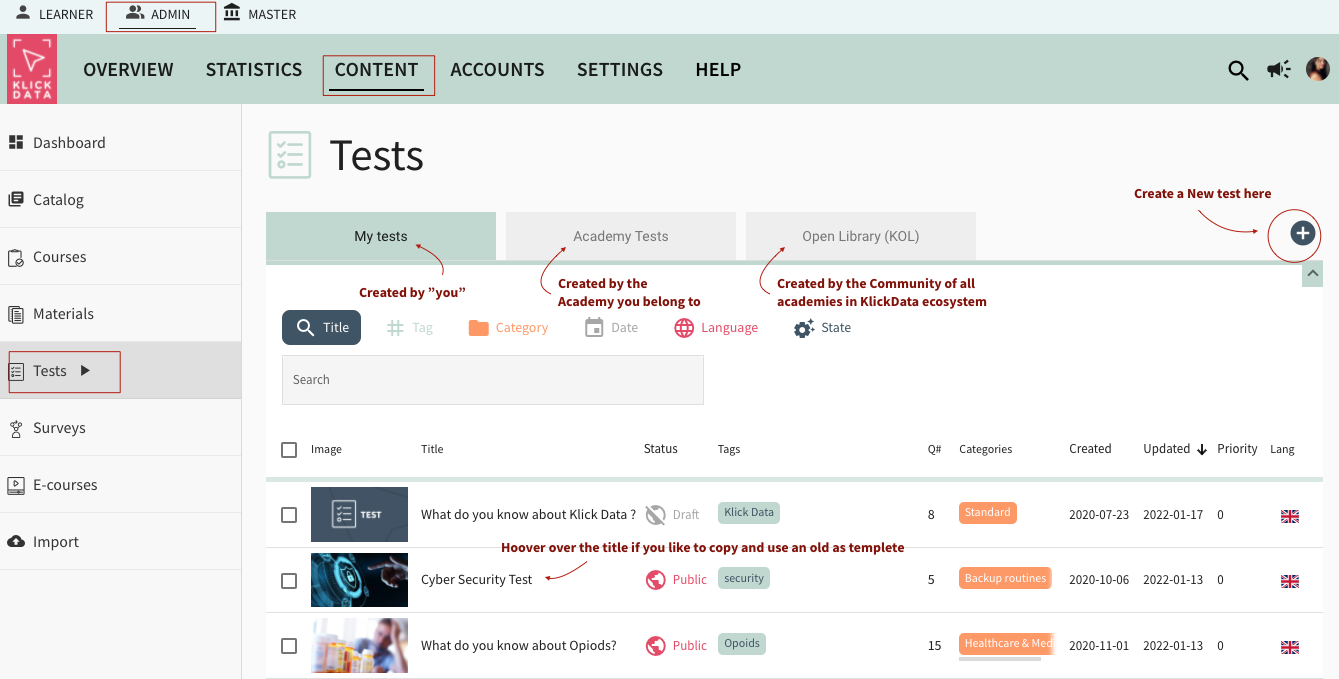

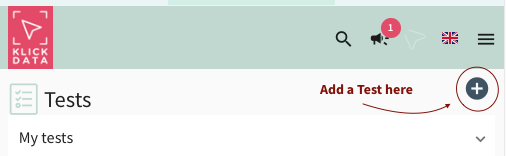
On an iPad or Tablet it might look like this.
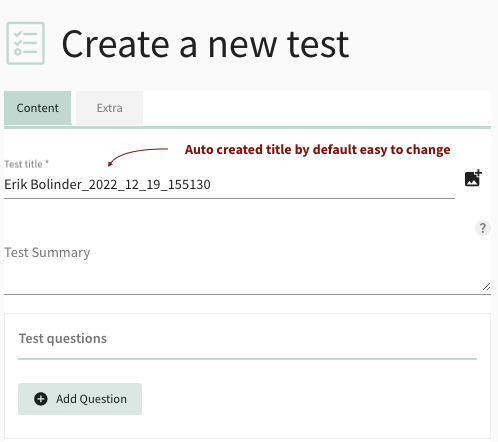
When you create a new Test: the title is prefilled with your User name and a timestamp. You can easily edit this and rename the Title.
In the Content Tab: You add the questions. In the Extra Tab, you add additional information.
Adding questions to a Test
In this example, we create a Test called Science Random
You can create them yourself from scratch, which is useful when you want to create a test of knowledge for your staff in some routines you do at your organization or company. The choices are Multiple Choice Questions (MCQ) with one correct answer. One answer is correct. The other alternatives are incorrect. If You choose a Question with Multiple correct answers one or many answers can be correct and checkboxes instead of radio buttons are the option. You can change the question if you happen to regret it once you choose.
How to import great MCQ questions already created for you
If you choose the third option, "Import MCQs from WOK" you can pick among 500000 (!) Multiple Choice Questions (MCQs) from the WikiMaster app in the World of Knowledge / WOK system. You write any Wikipedia article, and the questions attached to these questions are available for import to the KLMS test. You can choose one or many Wikipedia articles to import from. And you drag how many you like to import. Some articles have many questions (in this example: the Science article is a wide article and has over 11000 MCQs to choose from). Science Museum article has only 2. Some Wikipedia articles exist without questions in WOK, and these articles are for natural reasons not available. Note that questions are created on a daily basis by the WOK Community (a sibling to Wikipedia) so you might be able to import tomorrow's questions that are not available today.
Overall: for students and teachers using KLMS for an educational reason based on general facts: access to the WOK database system is a great tool and saves a tremendous amount of time. For HR departments and admin in companies creating tests based on routines for employees within the company, WOK questions are not the tool of the first choice. These questions are in need to be created from scratch.
A good principle of how to write questions is used in www.wokcraft.com/create . These guidelines are of great help even when you create questions for the staff for subjects like environmental policy, onboard training or HAACP for food handling or GDPR guidance.
See a FAQ video on how to create a test with multiple-choice questions from WOK. (recorded on May 25, 2019, it has some old way of handling, but it still has value to see how easy and quick it is to create questions from the WOK database.)

In this example: 39 questions from WOK were imported. You can see the questions and unfold to see the answers using the arrow on the right.

In this example, the 3rd option "Science Fiction" is the correct answer. You can change the number of points given to the correct answer. You can edit the question, add more alternatives.

Add an image and add a description of the question is complicated and you need to read some material or go to a link first. The KLMS gives you great freedom in the creation process. Making great quizzes and relevant tests is an art.

Note that with the trash can you can delete questions that do not fit your audience. After you are done with the questions you like to create in the test you click Next in the lower right corner. Questions are saved. You can edit them later. And reorder them for the user when they take the test.
3. Categories.
When saved; you move to the third Tab "Categories". This will place the test to your users in order for them to find them. You need to at least add the test to one category but it can be added to more than one.
4. Publish
In the last tab, you get a summary and then you can choose to Publish directly or Publish Later. When you publish, you limit your ability to change the Quiz content. Since it will be used in other parts of the KLMS system. If you Publish Later you can make the changes and continue editing later.

Enjoy the creation of a Test in KLMS. Some call it Create a Quiz. Some call it Create a Test. We at Klick Data let you choose.
Learning and development (L&D)